














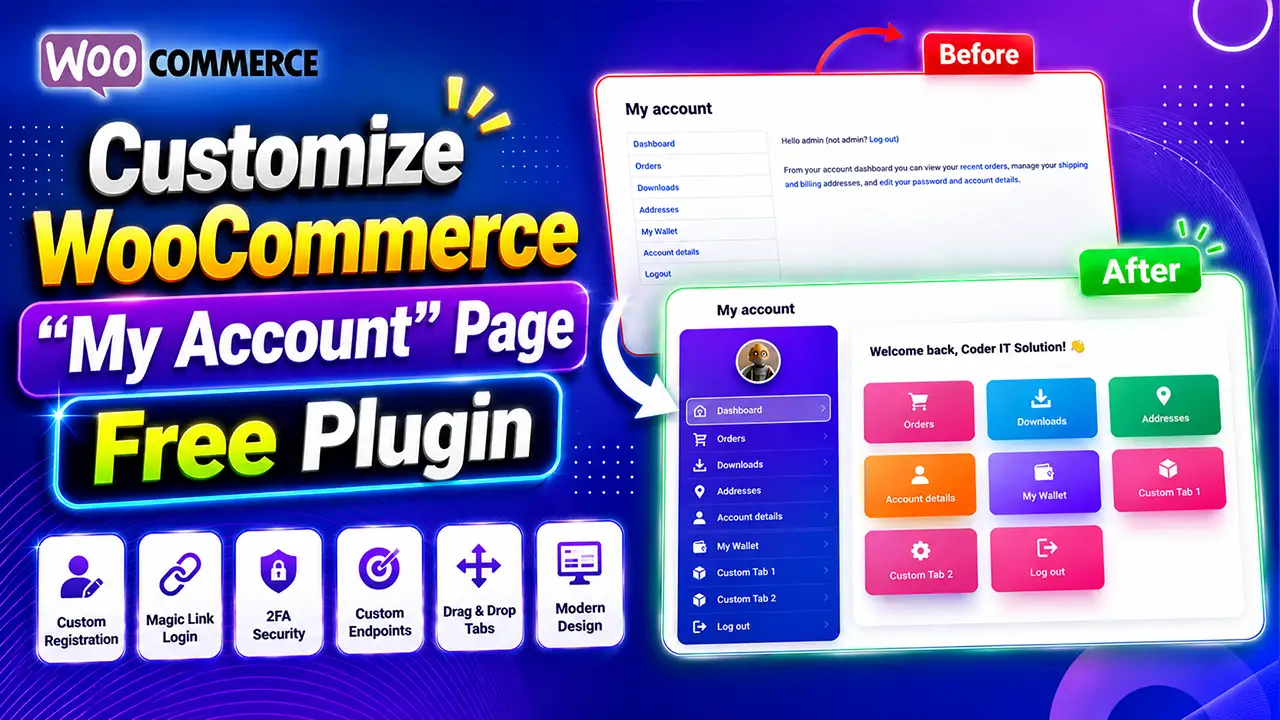
The default WooCommerce My Account page works, but let’s be honest — it looks outdated and offers very little flexibility for store owners who want a modern, branded customer experience.
If you want to create a polished, professional customer dashboard without writing a single line of code, you’re in the right place.
In this guide, we’ll show you how to Customize WooCommerce My Account Page using our FREE WordPress plugin — transforming the default, plain dashboard into a beautiful, modern interface in just a few minutes.
Watch the Complete Video Tutorial
Prefer watching instead of reading? This step-by-step tutorial walks you through installing the plugin, customizing the dashboard, switching layouts, applying modern themes, and building a better overall customer experience.
Why Customize the WooCommerce My Account Page?
The default WooCommerce account page is functional, but it was never designed to impress your customers. A modern dashboard can noticeably improve:
- Customer experience
- Store branding
- Navigation
- User engagement
- Overall professional appearance
Instead of a plain sidebar with a handful of links, you can give your customers an attractive portal that feels like a premium application — not an afterthought bolted onto your store.
What You’ll Learn
In this tutorial, you’ll learn how to:
- Install the FREE plugin
- Customize WooCommerce My Account page
- Change dashboard designs
- Customize navigation
- Improve the overall customer experience
- Do all of this with zero coding
Step 1 – Install the Plugin
Download the plugin from WordPress.org:
Download FREE — Customize My Account for WooCommerce: Custom Tabs, Login, Registration, 2FA & Design
Then go to:
Plugins → Add New → Upload Plugin → Activate
Within seconds, your WooCommerce store is ready to customize.
Step 2 – Open Plugin Settings
After activation, you’ll find the settings under:
WooCommerce → CITS WC KIT
From here, you can customize almost everything about the customer dashboard without touching a single line of code.
Step 3 – Choose Your Dashboard Design
One click changes the entire look of the customer dashboard. Available layouts include:
- Modern Design
- Simple Design
- Dark Mode
- Corporate Layout
- Gradient Design
- Neumorphism
Every layout is fully responsive, so it looks great on desktop, tablet, and mobile.
Step 4 – Customize Navigation
You can easily move your dashboard navigation to:
- Left sidebar
- Right sidebar
- Top navigation
This gives you complete flexibility depending on how the rest of your store is designed.
Step 5 – Personalize Your Dashboard
The plugin also lets you fine-tune the smaller details that make a dashboard feel truly on-brand:
- Customer greetings
- User avatar / profile picture
- Sidebar content
- Dashboard cards
- Button colors
- Brand colors
- Icons
- Spacing
- Typography
Everything is managed from a single settings panel — no coding required.
More Than Just a Design Plugin
Customize My Account for WooCommerce is much more than a dashboard designer. The Pro version adds powerful features for security, login, and customer management.
Magic Link Login
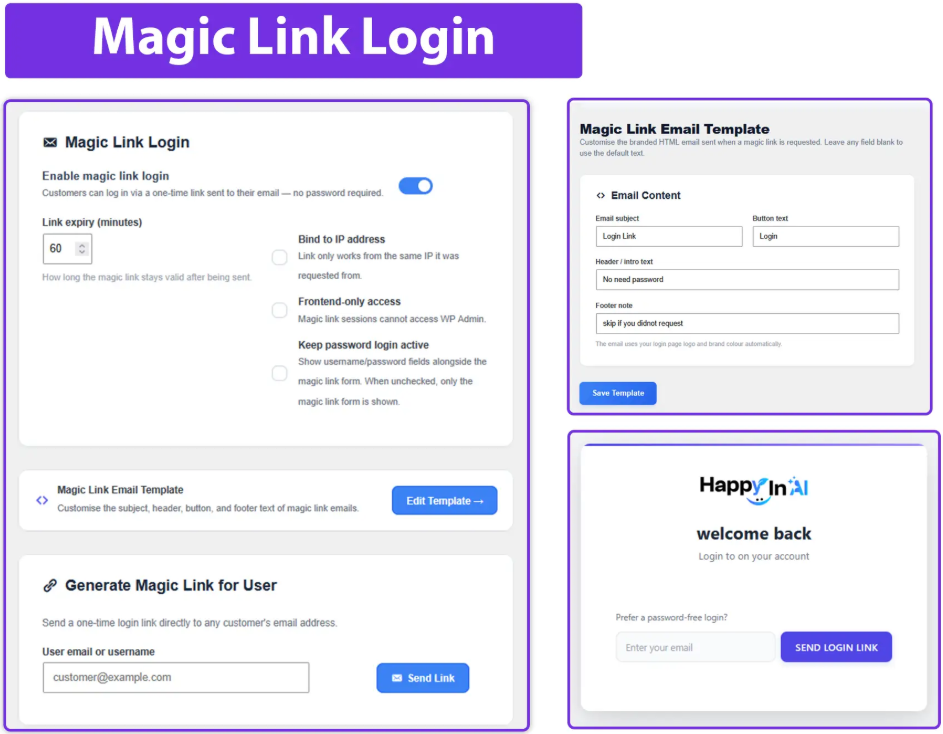
Let customers log in without remembering a password. One email, one click, secure login.
Passkeys (WebAuthn)
Modern, passwordless authentication for WooCommerce, compatible with supported devices and browsers.
Two-Factor Authentication (2FA)
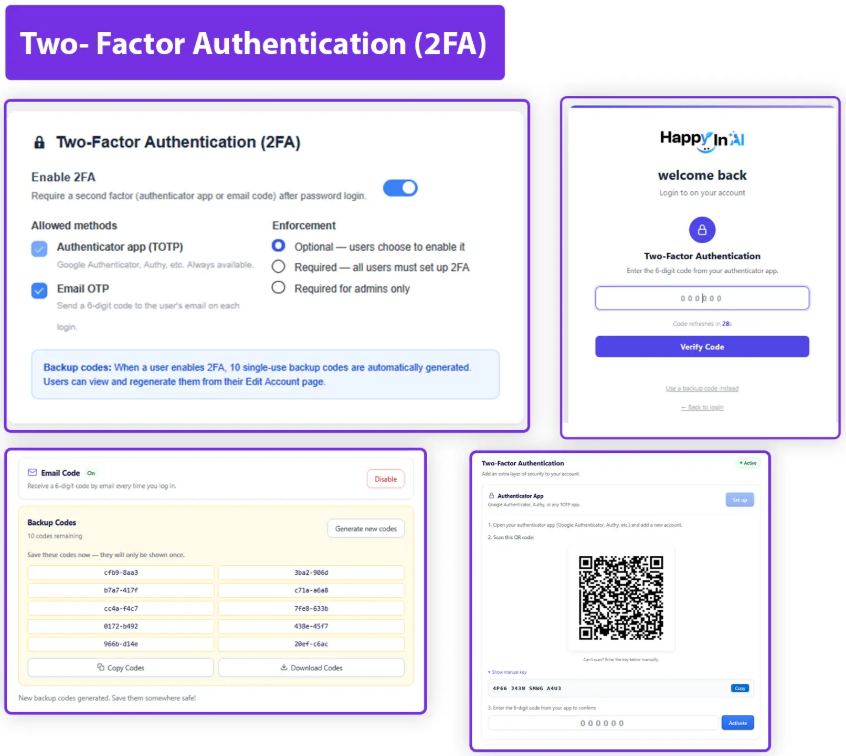
Add an extra layer of protection to customer accounts.
Login Page Branding
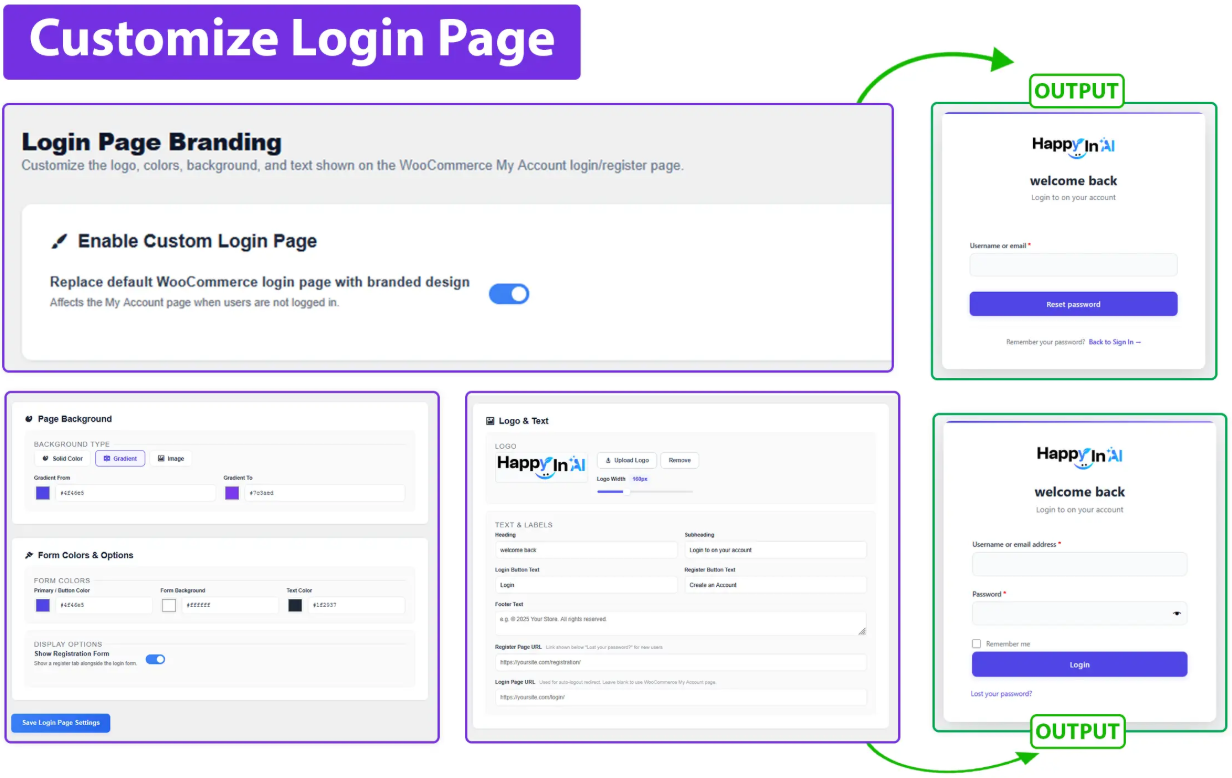
Customize the logo, background, colors, buttons, welcome text, and overall login layout.
Custom Registration Fields
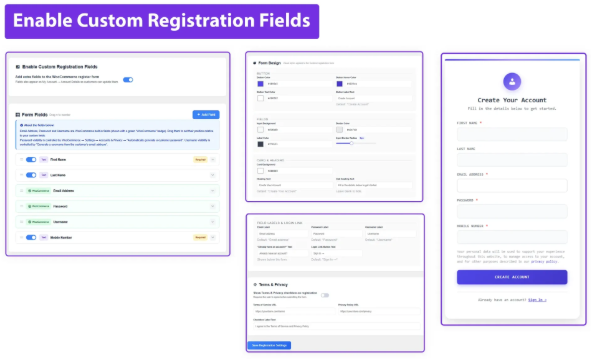
Collect additional customer information during registration — perfect for B2B stores, wholesale stores, and membership websites.
Custom Tabs
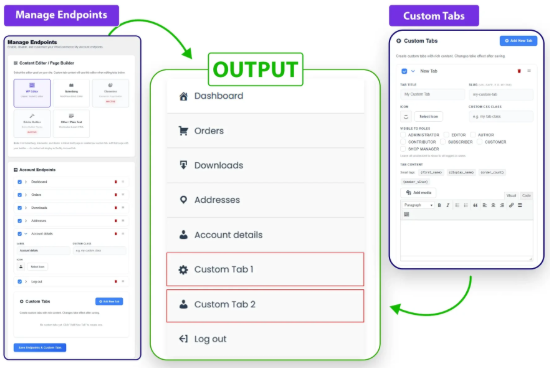
Add unlimited tabs to the customer dashboard — for support, downloads, loyalty points, membership, affiliates, subscriptions, invoices, or anything else your store needs.
Elementor Widgets
Build a completely custom WooCommerce account page using Elementor, with no coding required.
Free vs Pro
| Free Version | Pro Version |
|---|---|
| Dashboard design | Magic Link Login |
| Navigation | Passkeys |
| Avatar | Two-Factor Authentication |
| Sidebar | Login branding |
| Layout customization | Registration fields |
| Responsive design | Custom tabs |
| Elementor widgets | |
| White label | |
| Import / export | |
| Advanced customization |
Why Store Owners Love It
Instead of installing separate plugins for login, registration, security, dashboard design, navigation, custom tabs, and branding, you get everything in one solution. That means:
- Better performance
- A cleaner dashboard
- Fewer plugin conflicts
- Easier management overall
Frequently Asked Questions
Is this plugin free?
Yes, a free version is available on WordPress.org.
Does it require coding?
No. Everything can be customized from the admin settings.
Does it work with Elementor?
Yes. The Pro version includes dedicated Elementor widgets.
Is it mobile responsive?
Yes. All dashboard layouts are fully responsive.
Does it support WooCommerce?
Absolutely — it’s built specifically for WooCommerce.
Can I customize colors?
Yes. You can customize colors, layouts, greetings, navigation, avatars, and much more.
Download the Plugin
FREE Version:
Customize My Account for WooCommerce – Custom Tabs, Login, Registration, 2FA & Design
Upgrade to PRO:
https://coderitsolution.com/customize-my-account-for-woocommerce-pro/
Final Thoughts
If you’re looking for the best way to Customize WooCommerce My Account Page, this plugin gives you everything you need — from modern dashboard layouts to advanced security features like Magic Link Login, Passkeys, and Two-Factor Authentication.
Whether you’re a WooCommerce store owner, WordPress developer, freelancer, or agency, you can build a professional customer account experience without writing a single line of code.
Start with the FREE version, explore its features, and upgrade to Pro whenever you’re ready to unlock advanced customization and security.